Available for projects · Prague, CET

Software that runs on the camera, not beside it.

I'm Pavel Kotyza — Axis Certified Professional, Business Development Manager at CamStreamer, and the person people ask “can this be done?” I stopped answering “probably” and started answering with a prototype. I vibecode: Claude writes most of the lines, I bring the years of knowing what VAPIX, ACAP and the CamStreamer APIs actually do on real hardware.

Illustrated portrait of Pavel Kotyza holding a Canon camera in front of the Las Vegas sign
Pavel Kotyza
Axis Communications — Axis Certified Professional

Axis Certified Professional

Axis Communications' advanced credential in network video — awarded on passing the Axis Network Video Exam and renewed every three years. It means the person specifying your system knows the products, the protocols and the failure modes, not just the brochure.

Verify this certification on axis.com →
21
Public repositories
13
Axis camera projects
ACAP
Native SDK · ARTPEC-7/8/9
AI+
Vibecoded · proven on hardware
01 / METHOD

Why I started building

I sit between two sides: sales for CamStreamer and partnership with Axis on one, and end users and resellers on the other. The question I hear constantly is whether some specific thing is possible — and "let me check with development" is a slow, unsatisfying answer. So I learned to build the answer instead. I vibecode: Claude writes most of the code, I bring the domain knowledge that separates a demo from something that still works on a pole in February.

What I know

VAPIX, ACAP, the CamStreamer suite and the AXIS hardware underneath. Seven-plus years inside the partner ecosystem: what the DLPU will sustain, where firmware bites, which requirement is a product and which is a fifty-line script.

How it gets written

AI-assisted, with Claude Code doing the typing. The spec, the architecture and every decision about what runs on the device stay mine — as does the review that catches what a model confidently gets wrong.

What it's for

Showing possibility before anyone commits a development budget. A working prototype on a real camera turns "we think so" into something a customer can watch — and tells you early whether the idea is worth building properly at all.

02 / SERVICES

What I get asked for

Small, well-scoped work with something you can actually run at the end — an installable .eap, a CamScripter package, or a documented integration you can hand to your own team.

Proof of concept, fast

The one people come for. You describe the thing you're not sure is possible; I build a working version on a real camera so you can see it, film it, or put it in front of a customer before anyone budgets a development project.

Custom ACAP applications

Native AXIS OS 11/12 apps built with the ACAP Native SDK — Node.js runtime bundled, web settings UI included, signed and packaged as a single .eap.

CamScripter & CamOverlay work

Live data burned into the video stream: REST APIs, MQTT, RS-232, sensors, scoreboards, queue counters. Built on the CamStreamer suite, deployed locally or over cloud access.

System integrations & bridges

Getting cameras to speak to things they don't ship support for — HomeKit, MCP/AI assistants, control surfaces, VAPIX event pipelines, third-party APIs in both directions.

Diagnostics & deployment audits

Server-report analysis, ACAP health and resource review, stream and overlay troubleshooting — for fleets that already exist and misbehave under load.

03 / OPEN SOURCE

Everything I've published

Twenty-one public repositories, all written by me and all installable. It's also the fastest way to judge whether I'd be useful to you — read the code before you read my CV.

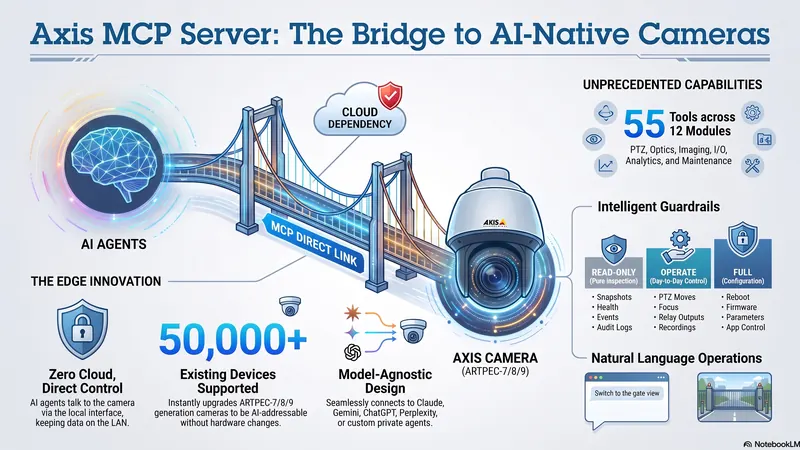
Screenshot of AXIS Camera MCP Server
ACAP · TypeScript★ 5

AXIS Camera MCP Server

The first on-camera Model Context Protocol server for AXIS cameras. One .eap opens the camera to Claude, Gemini, ChatGPT or Perplexity — snapshots, zoom and focus, event enumeration, ACAP lifecycle. No cloud, no middleware, zero hops.

Node 20ARTPEC-8MCPVAPIX
View repository
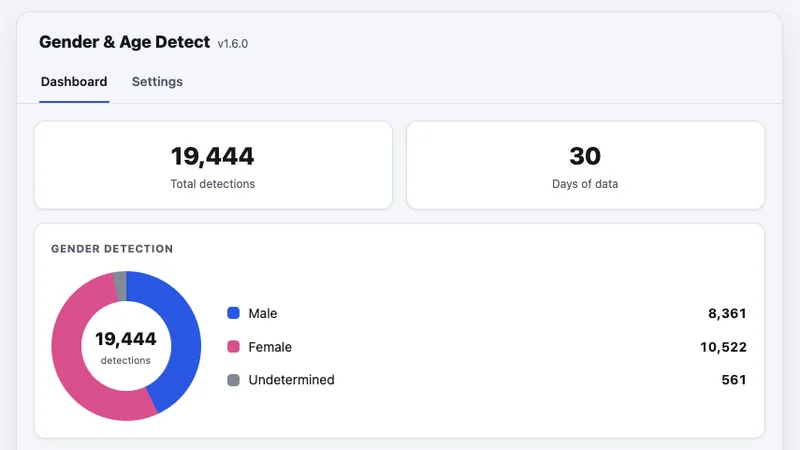
Gender & Age Detect dashboard showing 19,444 detections split by gender and age band
ACAP · DLPU

Gender & Age Detection

Privacy-first demographic analytics running entirely on the AXIS DLPU — real-time face detection, gender classification and age estimation. No cloud, no video uploads, no images leaving the camera.

DLPUOn-device AIARTPEC-8
View repository
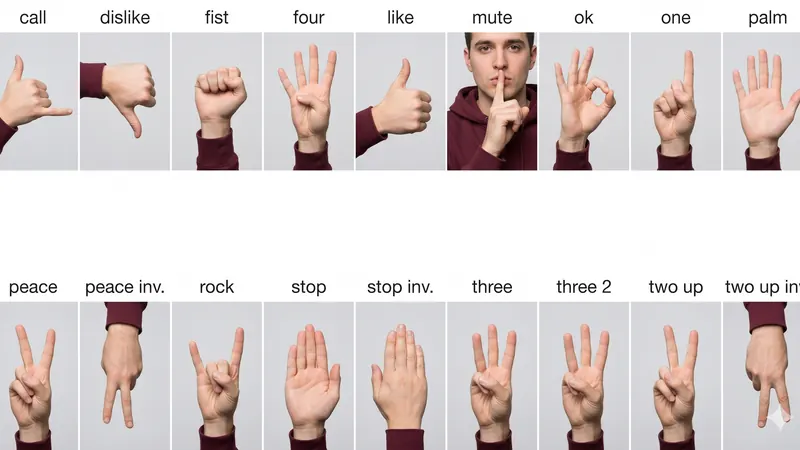
Screenshot of Axis ARTPEC8 Hand Gesture Scoreboard Control
ACAP · Computer vision

Hand-Gesture Scoreboard

A dual scoreboard driven by hand gestures in front of the lens. Custom TensorFlow Lite model on DetectX, 19 recognised gestures, drag-to-draw home/visitor zones, scores pushed live to CamOverlay.

TensorFlow LiteDetectXCamOverlayMQTT
View repository
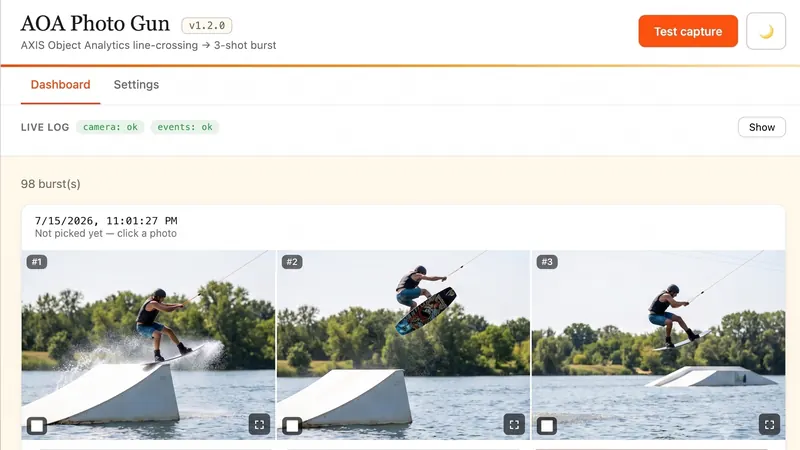
Screenshot of Axis AOA VMD Photo Gun
ACAP · TypeScript · MIT

AOA / VMD Photo Gun

Object Analytics already knows the moment something crosses the line you drew. Photo Gun fires a full-resolution burst the instant it happens, with a dashboard to review and export the frames.

Object AnalyticsVMDBurst capture
View repository
Screenshot of Axis 2 Apple Home Kit
ACAP · HomeKit

Axis → Apple HomeKit

Exposes an AXIS camera as a native HomeKit accessory from the camera itself — no bridge, no hub, no cloud. Zero-transcode H.264 over SRTP, OPUS audio, VMD4 and Object Analytics as motion sensors, QR pairing straight into the Home app.

HAP-NodeJSSRTPffmpegARTPEC-7/8
View repository
Screenshot of Axis Load Average Overlay
CamScripter microapp · MIT

Load Average Overlay

Turns the camera's own CPU load into a live, colour-coded overlay on the video — green, amber, red. Spot a device degrading before it drops the stream, with no monitoring infrastructure to stand up.

CamScripterCamOverlayTypeScript
View repository
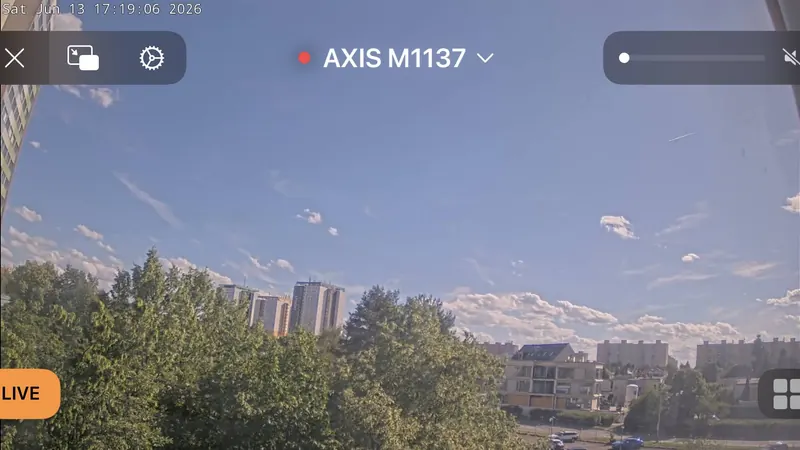
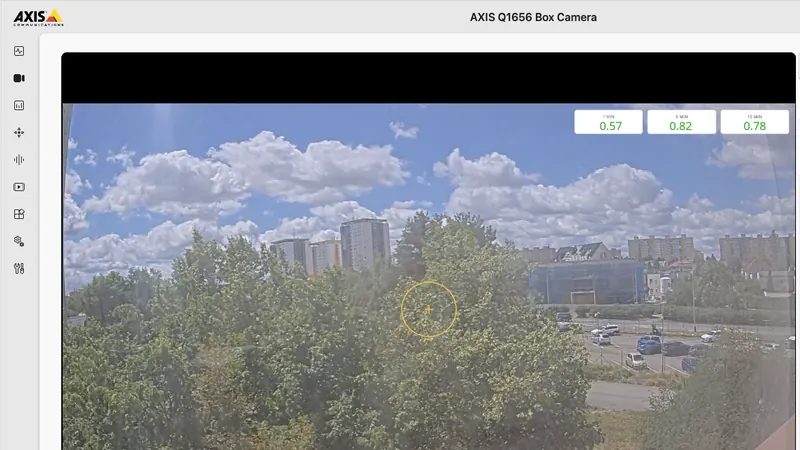
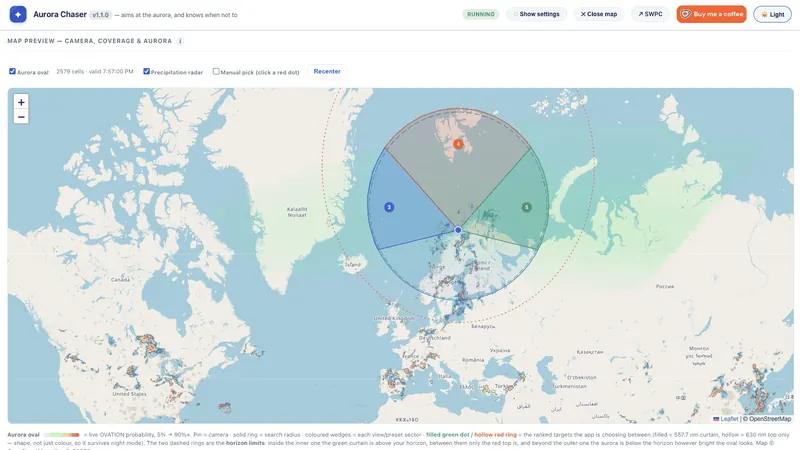
Screenshot of Aurora Chaser for Axis Camera
ACAP · TypeScript

Aurora Chaser

Your PTZ already sits under the sky every night. Aurora Chaser reads the NOAA OVATION nowcast, works out which part of that sky is worth photographing, and turns the lens there.

NOAA OVATIONPTZAstrophotography
View repository
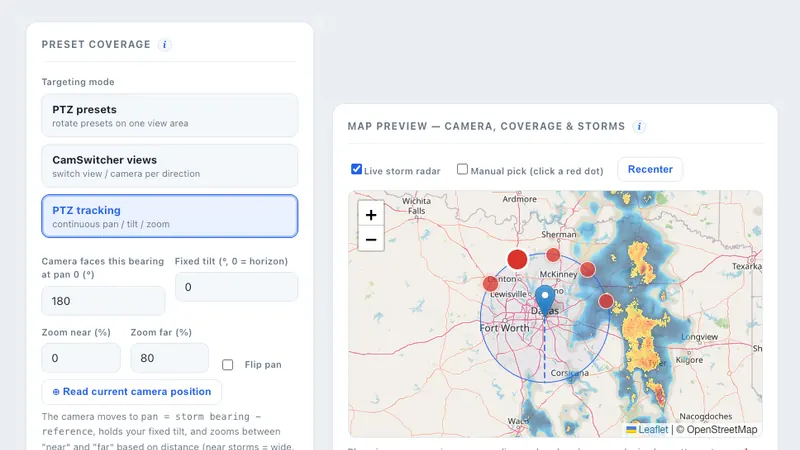
Screenshot of Storm Chaser for Axis Camera
ACAP · JavaScript · MIT

Storm Chaser

Scans the weather around the camera every few minutes, finds the most active storm cell nearby, works out its bearing and points the camera at it. Unattended severe-weather capture.

Weather APIPTZAutomation
View repository
Screenshot of axis cli
CLI · TypeScript

axis-cli

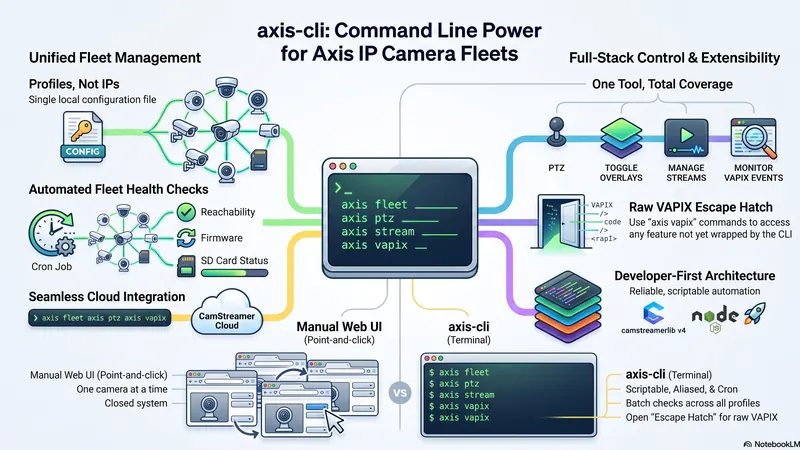
Camera management you can script, alias and automate. Save each camera as a named profile, then check firmware, drive PTZ, toggle overlays and manage streams from the terminal or a cron job.

CLIVAPIXFleet ops
View repository
Screenshot of Stream Deck Axis Cam CamStreamer Plugin
Stream Deck plugin · TypeScript

Stream Deck ↔ Axis

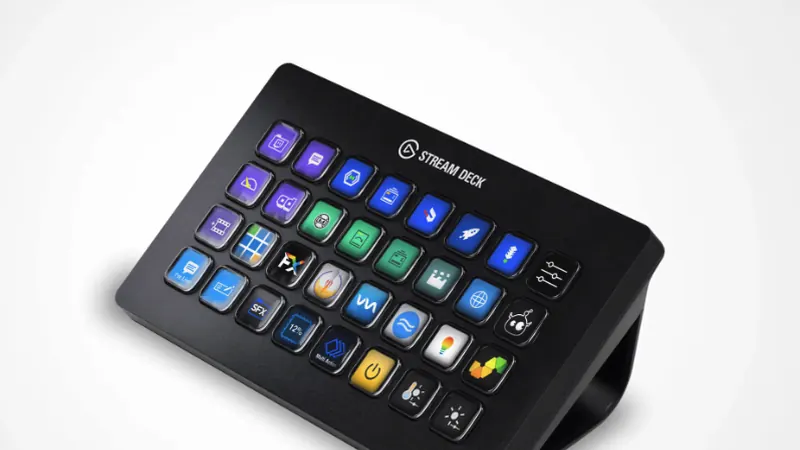
Native Elgato plugin talking straight to camera APIs over digest auth — PTZ presets, stream start/stop with live tally, CamOverlay widget toggles, CamSwitcher views, plus autofocus, defog, wiper and IR-cut. No proxy, no token.

Elgato SDKCamSwitcherPTZ
View repository
Screenshot of Bitfocus Buttons Module Axis Cameras and CamStreamer
Companion module · TypeScript

Bitfocus Companion Module

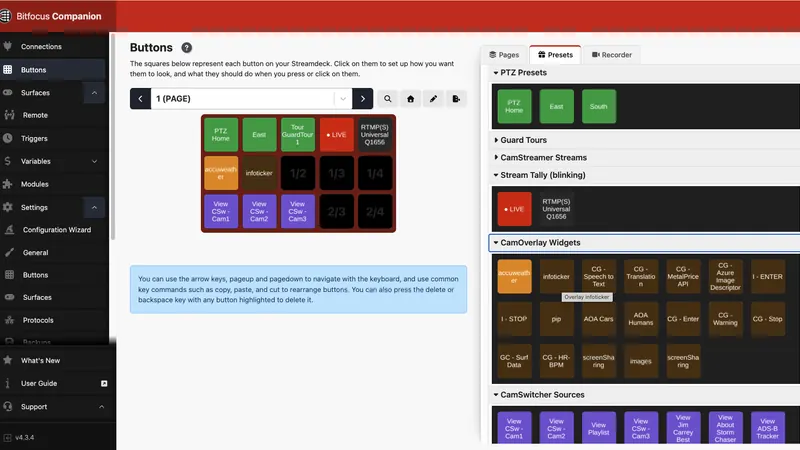
A native Bitfocus Companion module for Axis cameras and the CamStreamer suite — real dropdown actions populated from the device, rather than hand-rolled generic HTTP buttons.

BitfocusBroadcastCamStreamer
View repository
Screenshot of Touch Portal Axis Cam PTZ CamStreamer Plugin
Touch Portal plugin · TypeScript

Touch Portal ↔ Axis

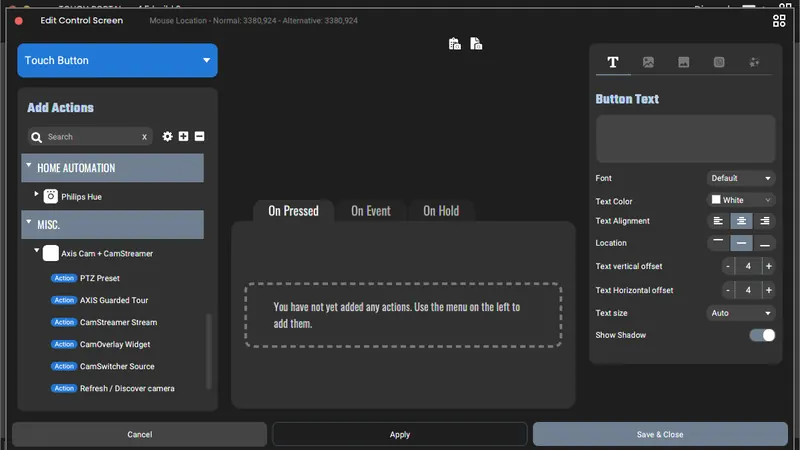
The Touch Portal sibling of the Stream Deck plugin: controls Axis cameras and CamStreamer apps directly over the LAN, from a phone or tablet acting as the control surface.

Touch PortalPTZLAN-only
View repository
Screenshot of AXIS PTZ CamStreamerApps Chrome Extension
Chrome extension · JavaScript

PTZ Button Grid (Chrome)

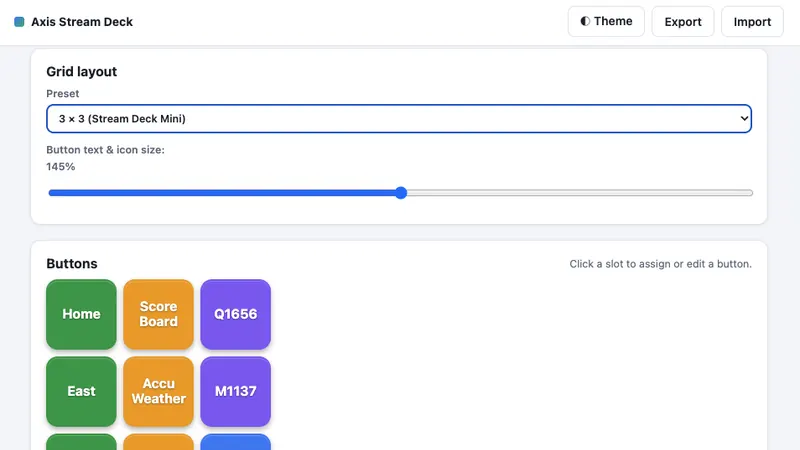
Turns the browser toolbar popup into a Stream Deck-style grid for Axis cameras. Each key fires a shortcut — PTZ preset, guard tour, CamStreamer, CamSwitcher or CamOverlay — with no hardware to buy.

Chrome MV3PTZGuard tours
View repository
Screenshot of Axis MSRP Price Overlay Chrome Extension
Browser extension · JavaScript

Axis MSRP & FoV Overlay

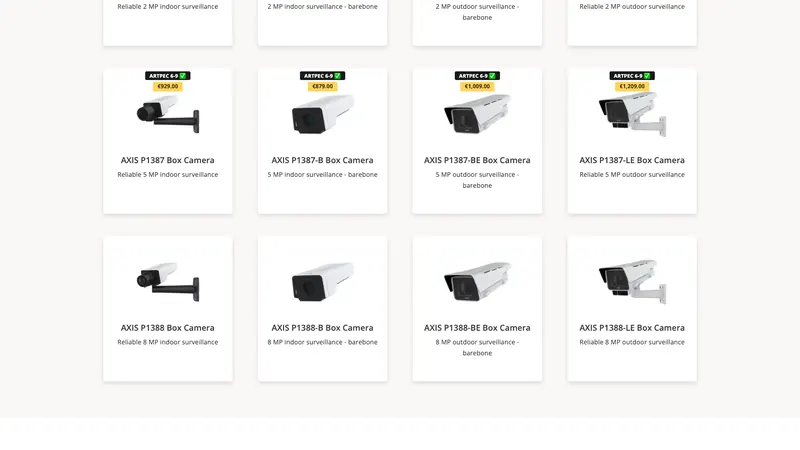
Shows Axis MSRP list prices and chipset information directly on the Axis Product Selector and axis.com search results, with a favourites view and field-of-view filtering. Chrome and Firefox, seven languages.

ChromeFirefoxSales tooling
View repository
Screenshot of Photo Curator
Python · MIT★ 8

Photo Curator

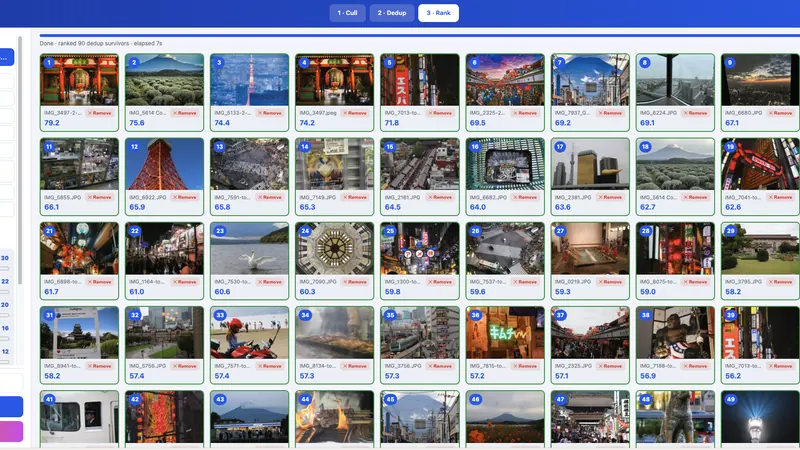
Come home with 3,000 photos, leave with your 50 best. Culls blurry frames, collapses burst duplicates by perceptual hash, then ranks what's left on composition, light and focus. Runs entirely on your machine; RAW included.

PythonrawpyORB
View repository
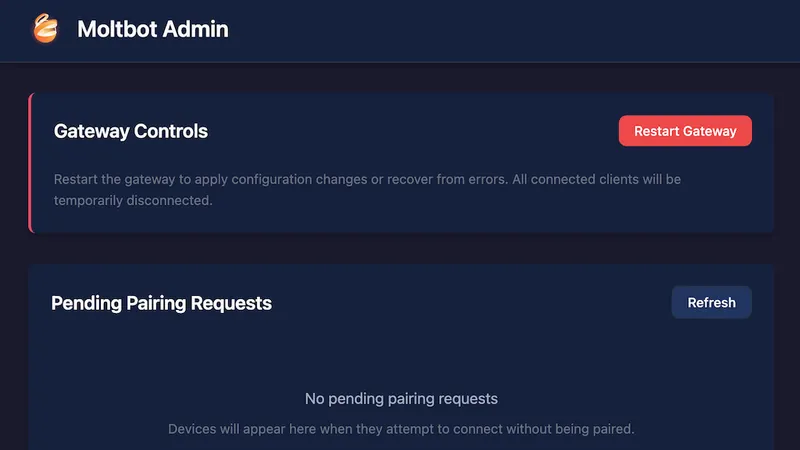
Moltbot Admin console showing gateway controls and pending pairing requests
TypeScript · Apache-2.0★ 1

moltworker

OpenClaw on Cloudflare Workers and Containers, hardened: a read-only health probe with no side effects, and a snapshot guard that refuses to archive an empty filesystem over your only backup.

CloudflareDurable ObjectsR2
View repository
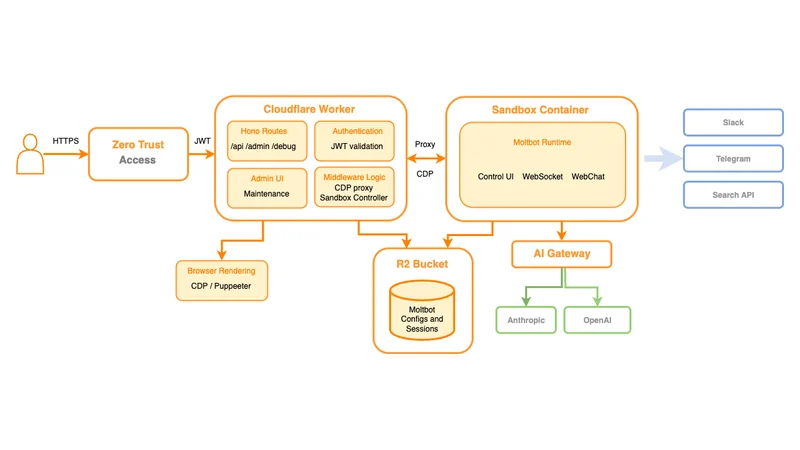
Architecture diagram: Zero Trust Access to a Cloudflare Worker, sandbox container, R2 bucket and AI gateway
JavaScript · DevOps

OpenClaw Cloudflare Ops

Supervised deploys, backups that refuse to save a degraded archive, one-command restore with per-file byte checks, and an offsite R2 mirror. Written after learning the hard way what a bad backup costs.

CloudflareDisaster recoveryBackups
View repository
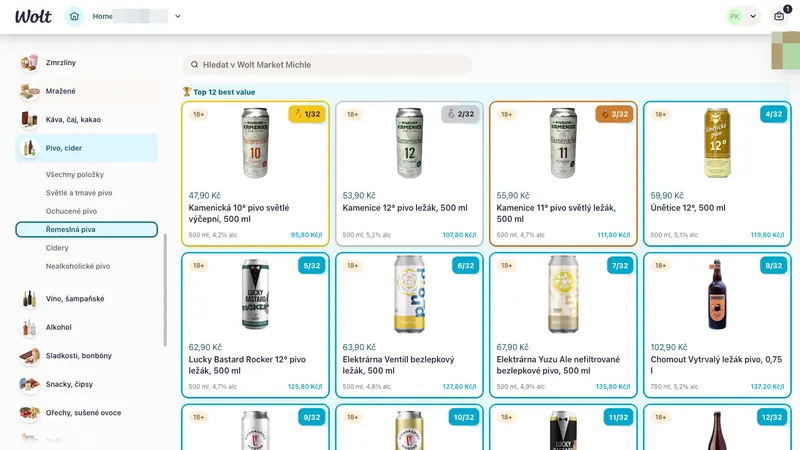
Screenshot of Value Rank for Wolt Chrome Extension
Chrome extension · JavaScript

Value Rank for Wolt

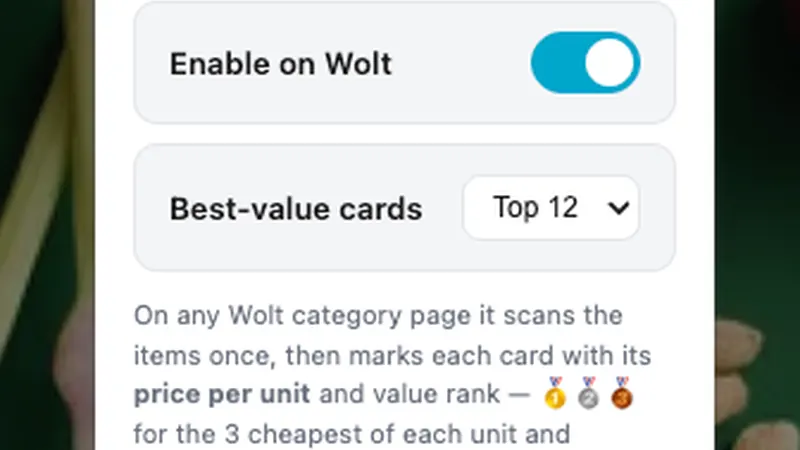
Scans a Wolt category page once and marks every card with its true price per unit and a value rank — medals for the three cheapest of each unit, position out of total for the rest.

Chrome MV3Price parsing
View repository
Screenshot of Value Rank for Wolt Firefox Extension
Firefox add-on · JavaScript

Value Rank for Wolt (Firefox)

The Firefox build of the same idea: the real price per unit on Wolt, shown instantly on the category page.

FirefoxPrice parsing
View repository
Screenshot of Fake Dezinfo Alert Blocker
Browser extension · JavaScript

Fake & Dezinfo Alert

Warns before you open a Czech disinformation site or YouTube channel, using the public konspiratori.sk database. Built for family members, kept public because plenty of people need it.

Browser extensionkonspiratori.sk
View repository
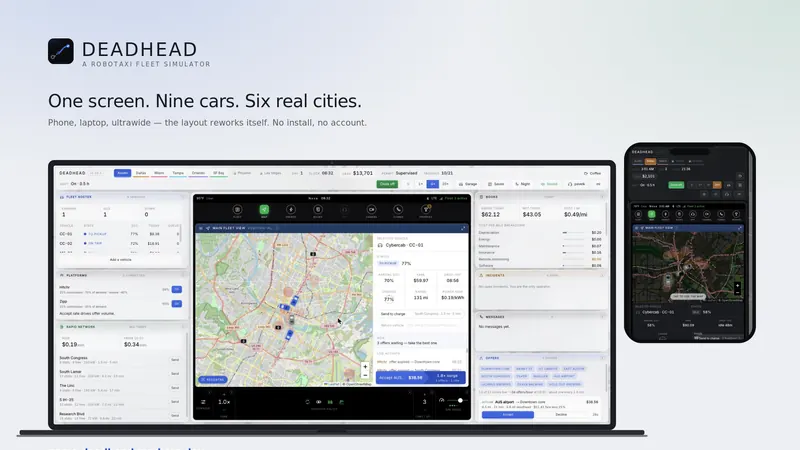
Screenshot of GAME Deadhead RoboTaxi Fleet Simulator
HTML · Game

Deadhead: RoboTaxi Fleet Sim

A future-job simulator played entirely through a car's centre-console screen. You never drive — you own and operate a small robotaxi fleet, and your job is the one that replaced driving.

CanvasSimulationSide project
View repository

Stars and versions move — see the live list on GitHub →

04 / BACKGROUND

Who you'd be working with

I've spent the last seven-plus years of my career around AXIS network cameras — the products, the partner ecosystem and the integrators who have to make them work in the field. I'm Business Development Manager at CamStreamer, and I like the job: it puts me in front of the people actually trying to solve something, every week.

That's also where the projects come from. End users and resellers arrive with a requirement that has no product behind it yet — a scoreboard with no operator, a camera that has to appear in someone's Home app, an AI assistant that needs to see through a lens with no cloud in the path — and they can't tell whether it's feasible or fantasy. Building the answer beats speculating about it.

I build them AI-assisted: Claude Code writes most of the code, I supply the domain judgement and the hardware to prove it on. I say that openly because it's the reason the list above exists at all — the ideas were never the bottleneck, the typing was. What comes out is a genuine proof of concept: enough to demonstrate, evaluate and decide with, and a solid starting point when something needs to become a real product.

I work in English, from Prague (CET). Czech is my first language, and I get by in Spanish, Japanese, Polish and Mandarin — enough for a site visit or a conference floor, not for a contract. Engagements are usually scoped small and delivered fast — a proof of concept, a microapp, an integration — because that's how you find out early whether the idea survives contact with real hardware.

05 / PRACTICALITIES

Questions people ask first

How fast can you show me something?

Usually days, not months. A focused proof of concept — one camera, one clear behaviour, running on real hardware — is typically a week or two of elapsed time. That speed is the point: you find out whether the idea holds while it's still cheap to change your mind about it.

Is a proof of concept the same as a product?

No, and I won't pretend otherwise. A PoC proves the behaviour on real hardware and gives you something to demonstrate and evaluate. Hardening it — edge cases, long-run stability, install and update flow, support — is a separate and larger piece of work. Working out which of the two you actually need is often worth the call on its own.

What happens after the prototype?

Whatever suits the project. Some prototypes are all anyone needed: a demo that wins the argument, or a script that quietly keeps running. Others should become properly developed products, and for CamStreamer-ecosystem work that's a conversation to have with the CamStreamer team rather than with me alone. Either way you leave with something that runs, not a slide.

Do you write all the code yourself?

No, and I'd rather say so up front: I build AI-assisted, and Claude Code writes most of the lines. What I contribute is the judgement — which VAPIX call, which ACAP boundary, what the DLPU will actually sustain, and whether the idea is worth building at all — then everything gets installed on real cameras and fixed until it holds. If you want a hand-written purist codebase, I'm not your developer. If you want to find out quickly whether something is possible, from someone who knows the platform well enough to catch what a model gets confidently wrong, that's exactly what this is.

Do you work remotely, and in which language?

Remote by default, from Prague (CET). Projects run in English; Czech is my first language. Most of the development, testing and debugging happens against cameras I can reach over the network or in my own lab — on-site time is usually only needed for commissioning or for hardware I can't replicate.

Which cameras and firmware do you target?

AXIS OS 11 and 12 on ARTPEC-7, -8 and -9. Native apps are built with the ACAP Native SDK, typically bundling a Node.js runtime and a web settings UI. Lighter jobs run as CamScripter microapps on top of the CamStreamer suite, which is faster to deploy and easier for your team to maintain afterwards.

Can this run without a cloud service?

Yes, and that's usually the point. Everything in the projects above runs on the device itself — no relay, no broker you have to host, no data leaving the network unless you want it to. Where cloud access genuinely helps, CamStreamer's device-connect layer is an option rather than a dependency.

Not sure whether it can be done?

That's the interesting question, and it's the one I like best. Half an hour is usually enough to tell you whether it's buildable, what a prototype would need to prove, and whether it's worth building at all.